
From Text Prompts to Creative Briefs: How Multi-Modal Input Changes the AI Video Workflow
PAGE
By PAGE Editor
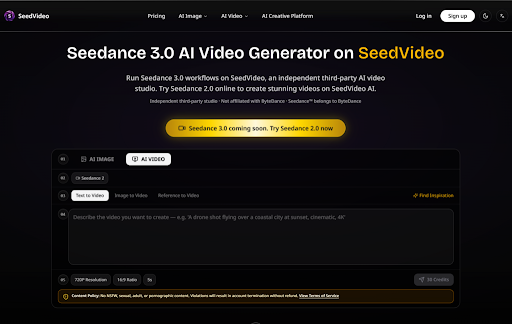
The dominant metaphor for AI video generation has always been the prompt. You write a description, the model interprets it, and a clip emerges. It's a simple, intuitive interface that has made generative video accessible to millions. But accessibility and control are not the same thing. The prompt-centric model asks you to describe a visual scene in words, which is a bit like asking someone to paint a portrait by writing a paragraph about the subject's face. It works, but the translation from language to image loses a tremendous amount of information along the way. SeedVideo takes a different approach, one that treats uploaded visuals, motion, and audio as equally important inputs alongside text. The result is a workflow that feels less like writing a description and more like assembling a creative brief. Seedance 3.0 powers this multi-modal system, and SeedVideo provides the interface that makes it practical for everyday use.
The Information Gap in Text-Only Generation
The fundamental problem with text-to-video is the gap between what words can describe and what a visual scene actually contains. A prompt like "a person walking through a forest" leaves thousands of decisions to the model. What does the person look like? What are they wearing? What kind of forest is it? Is the lighting warm or cool? Is the camera static or moving? The model makes all these choices based on its training data, which means the output reflects the model's preferences, not the creator's intent.
This isn't a failure of the technology—it's a limitation of language as a medium for visual description. Words are efficient for abstract concepts but inefficient for precise visual details. The more specific you try to be, the longer your prompt becomes, and the more opportunities there are for the model to misinterpret something. The result is a generation process that feels like negotiation: you write a prompt, the model produces something, you adjust the prompt, the model produces something else, and you iterate until you get close to what you wanted.
Multi-Modal Input: Closing the Gap Between Intent and Output
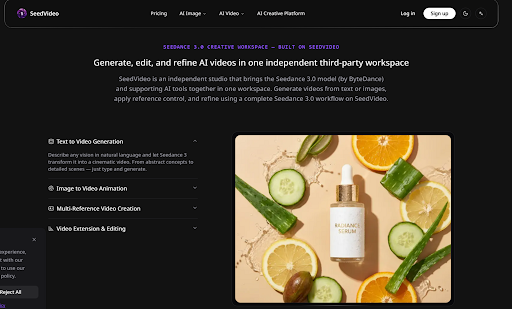
SeedVideo supports four input modalities: images, video clips, audio files, and text prompts. These can be combined in a single generation, with each input type serving a different creative purpose. Images anchor visual identity—character appearance, color palettes, scene composition, and style. Video clips communicate motion language—camera movements, action sequences, and scene transitions. Audio files set rhythmic and emotional tone—pacing, mood, and synchronization cues. Text provides the narrative and contextual glue that ties everything together.
The key insight is that each modality carries information that the others cannot effectively communicate. An image tells the model exactly what a character looks like in a way that no amount of text description can match. A video clip demonstrates a camera movement with precision that words cannot achieve. An audio file conveys rhythm and timing that defies written description. By accepting all four inputs simultaneously, the platform allows creators to communicate their intent through the most efficient medium for each type of information.
The Tagging Mechanism: Making References Actionable
Uploading references is only half the solution—the model needs to know which reference applies to which part of your description. SeedVideo addresses this through a tagging system where references are marked with @ symbols in the natural language prompt. If you upload three character images and two scene references, you can tag @char1 in your description to specify which character appears in which scene. The model understands that the tagged reference is the authoritative for that element of the generation.
This tagging mechanism is what transforms a collection of uploaded files into a coherent creative brief. Without it, the model would have to guess which reference applies to which part of your description, reintroducing the very ambiguity that multi-modal input is meant to eliminate. With it, you have explicit control over how each reference influences the output. The system supports tagging images, videos, and audio files, which means you can specify not just visual references but also motion and audio references with the same precision.
Motion Transfer: Capturing Camera Language
One of the more distinctive capabilities is motion transfer from uploaded video clips. Instead of describing a camera movement in text—"slow pan from left to right with a slight upward tilt"—you can upload a clip that demonstrates exactly that movement. The model extracts the camera's motion characteristics and applies them to your generated scene. This is particularly useful for creators who have specific visual language in mind but lack the vocabulary to describe it precisely.
In practice, motion transfer works best with clear, unambiguous reference clips. A simple pan or tilt transfers reliably; complex multi-axis movements may require refinement. The result may vary depending on the quality of the reference clip and the complexity of the scene being generated. But even with these limitations, motion transfer represents a meaningful step beyond text-based camera control. It allows creators to communicate motion through demonstration rather than description, which is a more natural and precise medium for many types of visual communication.
Audio as a Creative Input
The audio input is often overlooked in discussions of AI video, but it serves a distinct creative purpose. Uploading an audio file allows the platform to generate context-aware sound effects and background music that sync to the provided rhythm or mood. This is different from adding a soundtrack after generation—the audio influences the visual generation process itself, affecting pacing, cuts, and scene transitions.
For music videos, dance content, or any project where audio drives the visual pacing, this creates a tighter integration between sound and image than post-production audio syncing can achieve. The visual generation responds to the audio rather than the other way around, which changes the creative relationship between the two elements. The audio sync worked most effectively with clear, rhythmic references; more subtle or ambient audio produced less pronounced visual synchronization, but the directional intent remained visible.
The Workflow: From Brief to Output
The practical workflow reflects this multi-modal philosophy. You start by uploading references—images for visual identity, videos for motion language, audio for rhythm and mood. Then you describe your vision in natural language, using @ tags to connect your references to specific elements of the description. The model generates an initial output based on this combined brief. From there, you can extend the clip, edit specific segments, or generate variations while maintaining the same reference structure.
This workflow is more preparation-intensive than a simple text prompt, but it produces more controlled outputs. The upfront investment in assembling references reduces the need for iterative refinement later. It also makes the generation process more reproducible—the same references and description will produce consistent results across multiple sessions, which is valuable for series production or collaborative workflows.
Where Multi-Modal Input Shows Its Limits
The multi-modal approach has its own constraints. The quality of reference inputs directly affects output quality—low-resolution images, poorly composed video clips, or low-quality audio produce correspondingly weak results. The platform's effectiveness varies across use cases; character-driven narratives and branded content benefit most from the reference system, while abstract or highly experimental work may not see the same improvement.
The tagging system requires precision in your natural language description. Vague or ambiguous tagging can confuse the model just as effectively as vague prompting. The learning curve is real—it takes time to understand how to structure references and descriptions for optimal results. The platform also operates as an independent third-party studio, with no affiliation with ByteDance or other model developers.
Who Benefits from Multi-Modal Control
The multi-modal workflow is most valuable for creators who need precise control over visual output. Marketers producing branded content benefit from the ability to anchor visual identity through reference images. Filmmakers working on storyboards can communicate camera language through reference clips. Social media creators maintaining consistent character identities across posts reduce the drift that plagues text-only generation.
For creators who value speed over precision, the additional preparation time may not be justified. The workflow requires gathering and organizing references before generation, which adds friction to the creative process. For experimental or one-off projects, the text-only approach may be more efficient. The multi-modal system is a tool for control, not a replacement for simpler workflows.
The Shift in Creative Metaphor
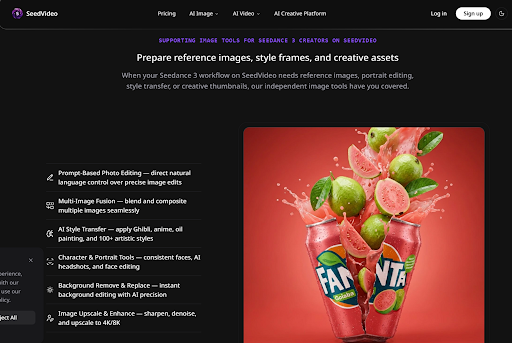
What SeedVideo's multi-modal approach ultimately represents is a shift in the creative metaphor for AI video. Instead of a prompt—a single text input that the model interprets—the workflow resembles a creative brief: a collection of visual, motion, audio, and textual references that together define the creative intent. Seedance 3.0 AI Video Generator provides the model, and SeedVideo provides the interface that makes this brief-based workflow practical.
The shift matters because it changes the relationship between creator and tool. Instead of negotiating with the model through iterative prompt refinement, you assemble a brief that communicates your intent through multiple channels. The model still has to interpret and generate, but the interpretation starts from a much more constrained and specific set of inputs. The result is a workflow that feels less like guessing and more like directing—a difference that becomes apparent not in any single feature but in the cumulative experience of producing usable output with fewer iterations.
HOW DO YOU FEEL ABOUT FASHION?
COMMENT OR TAKE OUR PAGE READER SURVEY
Featured




Coordinate apartment painting and flooring with a practical plan for dusty work, skirting boards, access, floor protection, and final touch-ups.