
How Augmented Reality Is Changing the Way We Present Menus in Restaurants
PAGE
By PAGE Editor
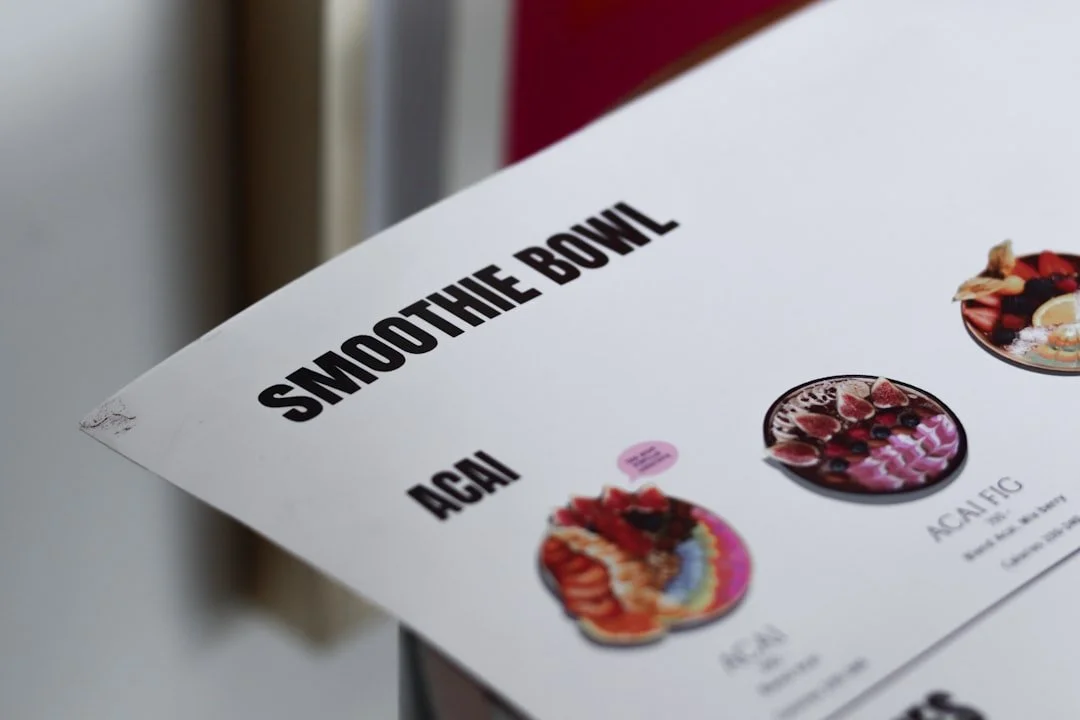
For decades, restaurant menus have relied on printed photos, written descriptions, and more recently, digital screens and QR codes. While these formats make it easy for customers to browse dishes, they still leave one important question unanswered: What will my food actually look like?
Web-based augmented reality (WebAR) is changing the way restaurants approach this problem. Instead of simply reading about a dish or looking at a static image, customers can use their smartphones to view interactive 3D representations of meals directly on their tables. Without downloading an app, they can explore dishes from different angles, examine ingredients, compare options, and make more informed decisions.
As restaurants look for new ways to improve the dining experience and stand out in an increasingly competitive market, WebAR is emerging as a practical way to turn traditional menus into interactive experiences.
What Is WebAR for Restaurant Menus?
WebAR allows customers to access augmented reality experiences directly through a mobile web browser. Unlike traditional AR applications, WebAR does not necessarily require users to install a dedicated app.
For restaurants, this means a customer can scan a QR code on a menu, table tent, receipt, or promotional material and immediately access an AR experience. The camera can then display digital content within the customer's physical environment.
For example, a restaurant could use WebAR to place a 3D model of a pizza, burger, dessert, or cocktail on the customer's table. Customers can move around the virtual dish, zoom in, and view it from different angles before deciding what to order.
This transforms a menu from a simple information tool into an interactive product showcase.
From Static Food Photos to Interactive 3D Menus
Traditional food photography has always played an important role in restaurant marketing. A well-designed photo can make a dish look appealing, but it provides only one perspective.
WebAR can add another layer of visualization.
Instead of showing customers a single photograph, an AR menu can allow them to see a three-dimensional representation of a dish. They may be able to rotate the model, examine its appearance, and visualize its approximate size and presentation.
This can be particularly useful for dishes that are difficult to describe with words alone.
For example, a restaurant serving a layered dessert could use AR to show the different components of the dish. A sushi restaurant could display a complete sushi platter in 3D, while a pizza restaurant could let customers preview different toppings.
The result is a more visual and interactive way to communicate what customers can expect.
How WebAR Can Improve the Customer Ordering Experience
One of the biggest advantages of WebAR menus is that they can help customers make decisions with more information.
Restaurant customers often have questions before ordering:
How large is the dish?
What ingredients does it contain?
How is it presented?
What does the portion look like?
Which dish should I choose?
Text and static images can answer some of these questions, but interactive AR can provide a more intuitive visual reference.
Benefit 1. WebAR Menus Can Make Restaurant Experiences More Interactive
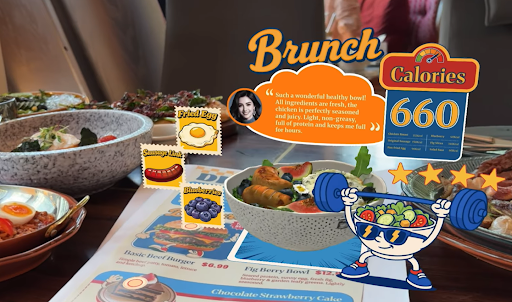
Restaurants can add animations, buttons, hotspots, product information, and other interactive elements to an AR menu. Customers could tap different parts of a dish to learn about ingredients or nutritional information. They could also switch between different dishes or explore recommendations from the restaurant.
Benefit 2. WebAR Can Help Restaurants Showcase Customization Options
Customization is increasingly important in modern dining. Customers may want to choose different toppings, sauces, ingredients, portion sizes, or preparation options. A conventional menu can describe these choices, but visualizing every possible combination can be difficult. WebAR provides another option. A restaurant could create an interactive AR menu that lets customers explore different variations of a dish. For example, a burger restaurant could show different toppings, while a pizza restaurant could visualize different combinations of ingredients.
Benefit 3. QR Codes Make WebAR Menus Easy to Access
Restaurants can place a QR code on physical menus, tables, receipts, packaging, posters, or storefront displays. Customers simply scan the code with their smartphones and open the AR experience in a browser. This creates a bridge between physical and digital dining experiences. For restaurants, it also means that they do not necessarily need to replace their existing menus completely. WebAR can work as an additional layer on top of an existing menu. A printed menu can provide essential information, while the QR code gives customers access to a richer visual experience.
Benefit 4. WebAR Can Support Restaurant Marketing Beyond the Table
Restaurants can use the same type of WebAR experience in marketing campaigns. A QR code on a takeaway box, social media campaign, outdoor advertisement, or promotional flyer could lead customers to an interactive food experience.
Benefit 5. WebAR Menus Can Create Opportunities for Upselling
Restaurants can use interactive AR menus to highlight recommended combinations, premium ingredients, side dishes, desserts, and beverages. For example, after a customer views a main course, the experience could suggest a matching appetizer or dessert. An interactive visualization could show the recommended combination rather than relying solely on written descriptions.
Benefit 6. WebAR Makes Menus More Memorable
Restaurants compete not only on food but also on experience. A distinctive digital menu can help a restaurant create a stronger impression, particularly for brands targeting younger, digitally engaged customers. An interactive AR experience can turn a routine action—choosing what to eat—into something customers want to explore and share.
For restaurants with visually distinctive dishes, themed interiors, or strong brand identities, this can be particularly valuable. AR can incorporate branded 3D assets, animations, storytelling, and interactive elements to create a menu experience that feels consistent with the restaurant's identity.
How to Create a WebAR Restaurant Menu
Creating an AR menu does not necessarily require a restaurant to develop its own mobile application.
With a WebAR creation platform such as Kivicube, creators can build interactive AR experiences using a visual editor. A restaurant could start by preparing 3D models or other visual assets for its dishes, then place them into an AR scene.
The experience can be enhanced with text, buttons, animations, interactions, and other digital elements. Once the scene is published, the restaurant can connect it to a QR code and place that code wherever customers can access it.
This makes WebAR a practical option for restaurants that want to experiment with interactive menus without building an AR application from scratch.
The Future of WebAR Restaurant Menus
WebAR has the potential to change restaurant menus from static information sources into interactive digital experiences. Instead of simply telling customers what a dish is, restaurants can show them what it looks like, explain its ingredients, highlight customization options, and recommend complementary products. At the same time, customers can access these experiences directly from their smartphones without necessarily downloading an app.
As WebAR technology becomes easier to create and deploy, more restaurants may use interactive menus as part of their digital customer experience. The future of restaurant menus may not be entirely digital or entirely physical. Instead, WebAR can connect the two—using the physical menu as a gateway to a more visual, interactive, and engaging dining experience.
HOW DO YOU FEEL ABOUT FASHION?
COMMENT OR TAKE OUR PAGE READER SURVEY
Featured


Mounjaro (tirzepatide) is a once-weekly injection used in medical weight management. It acts on two hormone receptors, GIP and GLP-1, which are involved in regulating appetite and blood sugar.