
Integrations for an Avid Media Composer Workflow
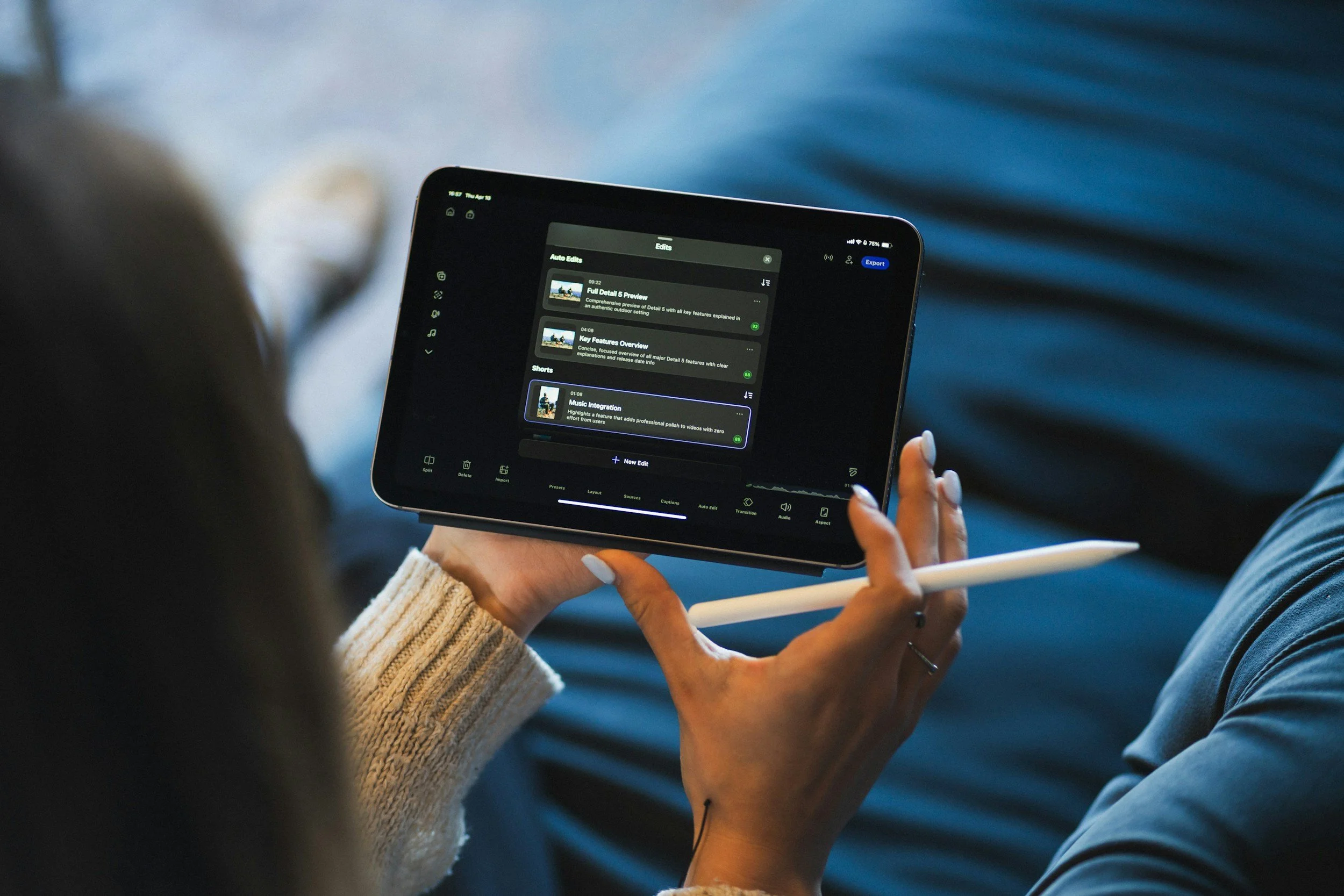
PAGE
By PAGE Editor
The most useful integrations for an Avid Media Composer workflow connect review, media management, and AI tools directly to the timeline, often through Media Composer panels. Adobe Firefly can supply missing shots: its image to video feature turns a still into a watermark-free MP4 clip you can bring into your edit.
Many broadcast newsrooms, documentary teams, and post houses still cut in Media Composer, while their motion graphics artists work in After Effects and their clients review cuts in a browser. That mix is normal, but it creates friction. Files move between systems, notes arrive in different formats, and editors spend time re-entering information instead of cutting. The best integrations remove those handoffs by bringing other tools into Media Composer, or by making Media Composer output flow cleanly into the tools around it.
Avid has made that easier with the Media Composer Panel SDK, which brings third-party apps and services into Media Composer through an integrated HTML5 panel. Recent integrations demonstrated by Avid include Quickture for AI-powered transcription and sequence creation from natural language requests, Acclaim Audio for dialogue cleanup with leveling, noise reduction, and filler word removal, and Digital Nirvana's MetadataIQ for AI-generated scene descriptions and metadata. Avid has also highlighted built-in AI transcription in ScriptSync and PhraseFind. For visuals, Firefly clips typically run about five seconds, depending on the model, which works well for B-roll, transitions, and establishing shots.
Media Asset Management for Video Production: How Integration Works
Media asset management for video production works best when integration brings the media library into the editing app, so editors can search and import without switching windows.
In Avid environments, panels are a common way to do this. Avid's Panel SDK announcement highlighted the Moxion Panel for Media Composer, which lets editors browse, search, and import production files directly into Media Composer, then upload cuts back for review. Dixon Sports Computing also uses the Panel SDK to offer its metadata logger and search tools inside Media Composer.
For mixed teams that also use Adobe apps, Iconik offers an Adobe panel for Premiere Pro, After Effects, Photoshop, Illustrator, and Audition, plus AI tagging and transcription that make clips searchable by spoken phrases.
When evaluating a MAM, check which editing apps it supports, how it handles proxies, and whether metadata travels with the media.
What Are Popular Creative Applications for Video Production?
Popular creative applications for video production usually fall into a few roles, and most teams combine several.
Editing: Avid Media Composer is common in broadcast and film. Adobe Premiere Pro is widely used across marketing, online video, and post, and Final Cut Pro is popular with independent creators on Mac.
Motion graphics and effects: Adobe After Effects handles titles, animation, and compositing.
Audio: Avid Pro Tools is a standard for sound editing and mixing.
Generative media: Adobe Firefly creates clips from stills, plus music and voice tools in its video editor, and its clips can move into Premiere Pro and After Effects.
The key to a smooth workflow is choosing review and asset tools that connect to each of these apps, so work doesn't stall at every handoff.
Review and Approval Tools for Video Production With Creative App Integration: Examples
Review and approval tools for video production with creative app integration let stakeholders comment on cuts while editors see notes inside their software. Here are examples.
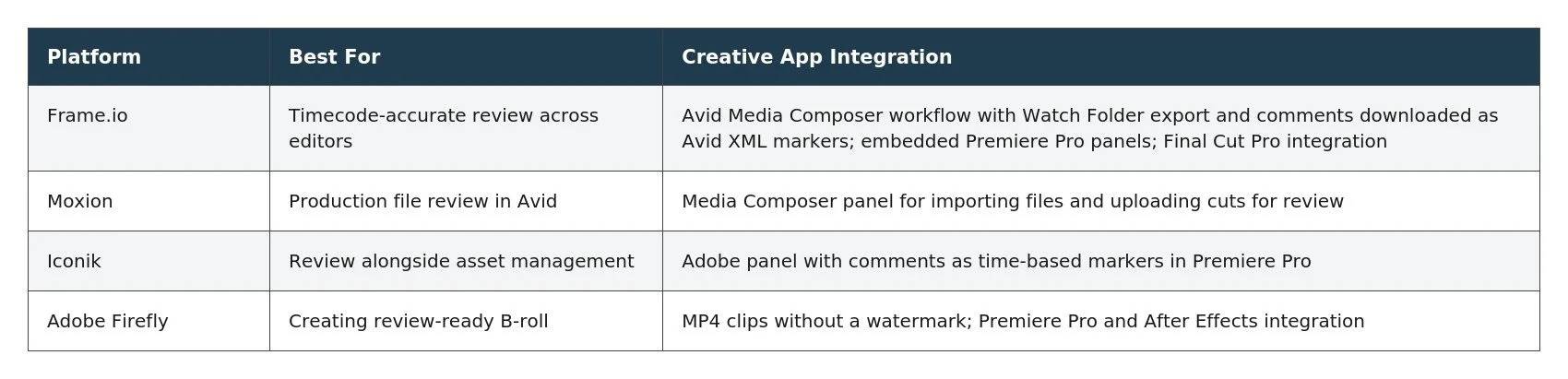
Frame.io's Avid workflow is a strong example: reviewer comments arrive as timecode-accurate markers in the Media Composer timeline, so editors can jump from note to note.
Which Tools Integrate With After Effects for Video Production?
Several tools integrate with After Effects for video production, helping motion designers stay in sync with editors.
Adobe Firefly: Adobe says Firefly image to video clips work with Premiere Pro and After Effects, so a generated shot can become the base for animated titles or composites.
Iconik: Its Adobe panel gives After Effects users direct access to their organization's media library.
Frame.io: As part of Adobe's ecosystem, it provides centralized review, with API and webhook support for automating uploads and approvals.
For Avid-centered teams, a practical pattern is to build graphics in After Effects, render them to an agreed format, and share them through a review or asset platform the editor can access from Media Composer.
FAQ
Can Frame.io comments appear in Media Composer?
Yes. Frame.io says you can download reviewer comments as an Avid XML file and view them as timecode-accurate markers in your Media Composer timeline.
Can I build my own Media Composer integration?
Avid's Media Composer Panel SDK is available to customers and third-party developers for building custom integrations through an HTML5 panel.
Are Firefly clips safe for client projects?
Adobe says videos generated from an image with Firefly models are commercially safe, as long as the uploaded image doesn't violate copyright, trademark, privacy, publicity, or other rights.
HOW DO YOU FEEL ABOUT FASHION?
COMMENT OR TAKE OUR PAGE READER SURVEY
Featured




Wellness has increasingly become part of how we think about everyday life. It influences the way we design our homes, choose personal care products, and create moments of quiet in otherwise busy schedules.