
How to Use an AI Presentation Maker for Sales Pitches

PAGE
By PAGE Editor
I used to spend an entire afternoon building a single sales deck. Not exaggerating—three to four hours just to get something “presentable.” Half of that time went into fixing spacing issues, aligning icons, and fighting with master slides that refused to behave.
Then a client asked for a last-minute revision. New industry. New messaging. Same deadline.
Sound familiar?
That’s when I started experimenting with AI tools for presentations—not out of curiosity, but out of necessity. The goal wasn’t to make prettier slides. It was to survive tight timelines and still close deals.
Where Most Sales Decks Go Wrong
Before talking tools, let’s be honest about the real problem.
Sales decks fail because they’re:
Too generic
Built from outdated templates
Packed with features instead of outcomes
I’ve seen decks where slide 3 already loses the room. Not because the product is bad—but because the story isn’t landing.
So the question becomes: how do you go from raw sales notes to a compelling pitch… without burning hours?
Turning Raw Notes Into a Pitch (What Actually Worked)
The first time I tested an AI workflow, I didn’t start with slides. I dumped a messy outline into a tool—bullet points, half-written sentences, even some CRM notes.
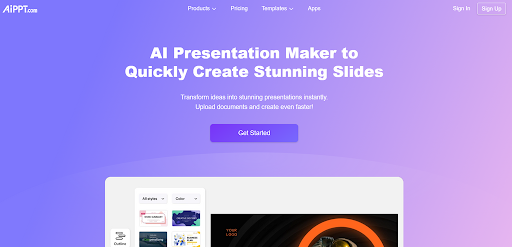
The result? A structured deck in under 60 seconds. About 12 slides. Not perfect, but usable.
That’s when I realized the real value of an ai presentation maker isn’t design—it’s structure.
Instead of staring at a blank slide, you get:
A logical flow (problem → solution → proof → CTA)
Clean section breaks
Headlines that actually make sense
From there, editing becomes manageable. You’re refining, not starting from zero.
Step-by-Step: My Actual Workflow for Sales Pitches
This isn’t theory. This is what I use when I need to build a deck fast.
1. Start With the Deal Context
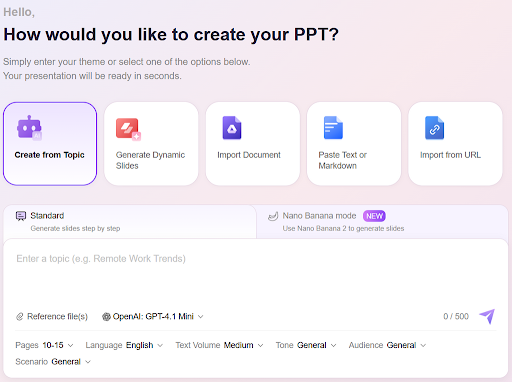
Before opening any tool, I write down:
Who am I pitching? (industry + role)
What do they care about? (cost, growth, risk?)
What’s the goal of this call?
If you skip this, AI will give you generic slides. Every time.
2. Feed the Right Input (Not Just “Make Me a Deck”)
Bad prompt:
“Create a sales presentation”
Better prompt:
“Create a 10-slide SaaS pitch for a logistics company focused on reducing delivery costs by 20%”
That small change makes a huge difference.
When I switched to a more specific prompt using an ai powerpoint maker, the output immediately felt closer to a real sales narrative—less fluff, more relevance.
3. Fix the Slides That Matter (Not All of Them)
Here’s something I learned the hard way: you don’t need to perfect every slide.
Focus on:
Opening (first impression)
Problem framing
ROI / results slide
Closing CTA
The rest? Good enough is fine.
Most buyers won’t remember slide 7 anyway.
4. Make It Less Static
Early AI decks can feel… flat. Text-heavy. Predictable.
What I usually do:
Replace 2–3 slides with visuals (charts, icons)
Break long bullets into short statements
Add one “story slide” (real customer example)
Even small tweaks make the presentation feel more alive.
Personalization at Scale (Without Losing Your Mind)
Here’s where AI actually saves serious time.
I had to pitch the same product to three different industries in one week:
Healthcare
E-commerce
SaaS
Normally, that’s three separate decks.
With AI, I reused the same structure and just changed the input:
Different pain points
Different examples
Slight wording tweaks
Each version took maybe 10–15 minutes.
Before? Easily 2–3 hours per deck.
The “Second Edit” Trick Most People Miss
AI gives you version one. That’s not the final product.
The real improvement comes from what I call the second edit:
Tighten headlines
Swap generic phrases for specific outcomes
Remove anything that sounds robotic
Example:
AI version:
“Improve operational efficiency with advanced tools”
Edited version:
“Cut manual workload by 35% in the first 30 days”
Which one would you trust more?
Common Mistakes I Made (So You Don’t Have To)
Let me save you some frustration.
1. Trusting the first output too much
It’s a draft. Treat it like one.
2. Ignoring slide hierarchy
If every slide looks the same, nothing stands out.
3. Overloading content
More text ≠ more convincing.
4. Forgetting the story
Slides support your pitch—they don’t replace it.
What Actually Moves the Needle in Sales Decks
After testing dozens of variations, a few patterns kept showing up:
Shorter decks perform better (10–15 slides max)
Numbers beat adjectives (“20% growth” > “significant improvement”)
One clear message per slide wins
Real examples outperform generic claims
None of this is new. But AI makes it easier to execute consistently.
When AI Helps the Most (And When It Doesn’t)
AI is great for:
First drafts
Structure
Speed
Reformatting messy content
Not so great for:
Deep industry nuance
Complex storytelling
Final persuasion layer
That part still needs you.
A Quick Note on Workflow Efficiency
If you’re curious how teams are scaling content production with AI, research from McKinsey shows that automation can significantly reduce production time while maintaining quality—especially in repeatable workflows like sales content.
That lines up with what I’ve seen firsthand.
If You’re Building Your Next Sales Deck
Try this:
Take your last messy outline. The one sitting in Google Docs or Notion. Paste it into an AI tool. Generate a draft. Then spend 20 minutes refining just the key slides.
That alone will probably cut your prep time in half.
And more importantly—you’ll walk into your next pitch with something that actually tells a story, instead of just showing information.
Because at the end of the day, nobody buys slides.
They buy clarity.
HOW DO YOU FEEL ABOUT FASHION?
COMMENT OR TAKE OUR PAGE READER SURVEY
Featured




For many people, the end of the workday does not always mean the beginning of recovery.